Dental front desk automation lets practices manage membership enrollments, recurring payments, and renewals through dedicated software. It removes much of the manual administration involved in running a dental membership program, helping reception teams keep track of members without relying on spreadsheets or reminders that someone has to act on.
But introducing automation isn’t simply about choosing software. It’s also about understanding which tasks take up your team’s time, where mistakes tend to happen, and how to make membership administration easier without disrupting how your practice operates.
This guide walks through the areas worth reviewing, the tasks you can automate, and the practical steps involved in making the change.

Step 1: Find out how much time your front desk spends managing memberships
Most practice owners can tell you how many patients have joined their membership program. Ask how much staff time goes into managing those members, and the answer may be hard to pin down.
That’s partly because membership administration often looks like a few small tasks. It’s a few minutes spent checking whether a patient has used their hygiene benefits, another call to resolve a payment issue or time spent updating a membership record.
None of these jobs seems particularly demanding on their own, but when a practice has several hundred members, the work becomes a regular part of the front desk’s day, often interrupting whatever else staff are trying to get done.
A useful starting point is to spend a week observing how membership administration fits into your team’s normal workload.
Pay attention to how often staff need to check payment information, update membership records, confirm benefits or follow up on renewals. Also consider whether these tasks interrupt patient check-ins, phone calls or other responsibilities.
You don’t necessarily need a detailed time-tracking exercise. Even a simple record of recurring tasks and interruptions can help you identify where your team spends time unnecessarily.
A membership program may be bringing in recurring revenue, but those figures don’t account for the staff hours spent administering it or the impact that work has on the front desk’s day-to-day operations.
Step 2: Identify which membership tasks can be automated
Once you have a clearer picture of the work involved, the next step is deciding which tasks could be handled more efficiently.
Dental membership automation handles routine processes that would otherwise require someone at the practice to manage them manually.
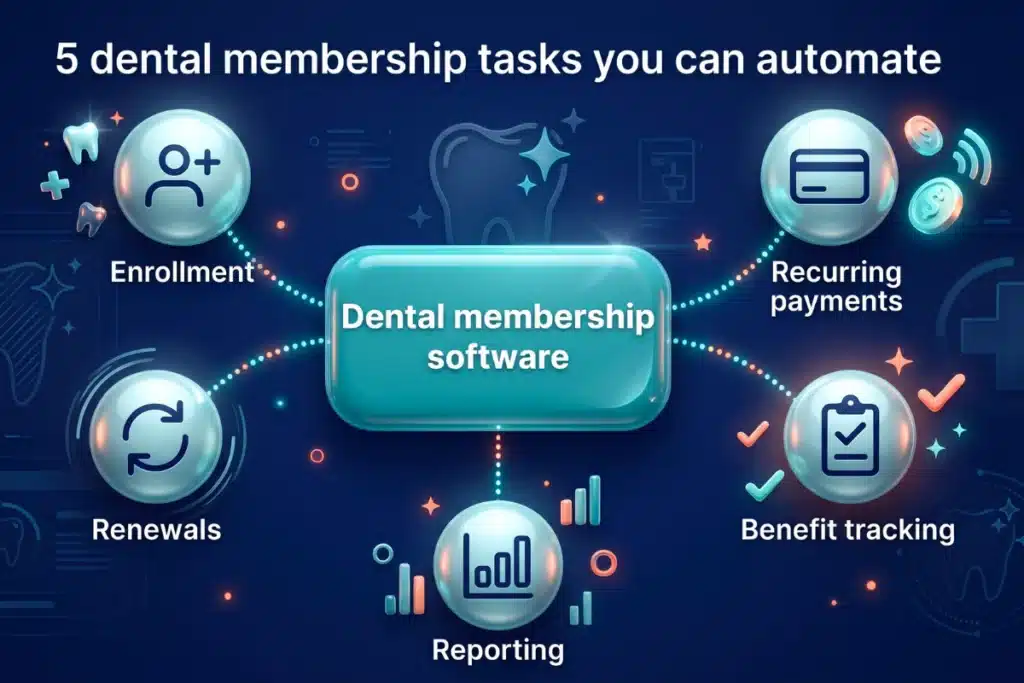
This typically includes:
- Enrollment: Patients can join online, and the system captures their membership information digitally.
- Recurring payments: Membership fees are collected according to the agreed billing schedule.
- Renewals: The system tracks renewal dates and manages relevant notifications.
- Benefit tracking: Staff can check which services members have used and what remains available under their plan.
- Reporting: Practice managers can monitor membership activity and identify accounts requiring attention.
The aim isn’t to automate every interaction a patient has with your practice.
There will always be situations where someone needs to step in, such as a patient asking about their benefits or an unsuccessful payment that needs resolving.
Automation allows staff to focus on those situations when they arise, rather than spending time manually monitoring every membership.
The important question is which processes your team repeats regularly and whether those processes genuinely need someone to complete them by hand.
Step 3: Look at where manual membership administration creates problems
The difficulties with manual administration often become apparent when something interrupts the usual routine.
Looking at a few common situations can help you identify where more consistent processes would make a difference.
Make enrollment easier to complete correctly
Scenario: A patient agrees to join the practice’s membership program while checking out after an appointment, but the receptionist gets called away to answer the phone halfway through entering their details.
Another staff member, who wasn’t part of the original conversation, ends up completing the enrollment.
Perhaps the wrong payment date is entered, or the patient is assigned to a plan they didn’t choose. The mistake might not be discovered until the first payment is processed.
Digital enrollment gives the practice a defined process for capturing membership information and setting up payments. Staff still need to explain the plan, but they aren’t responsible for handling every stage of registration manually.

What should your practice do?
Review how patients currently enroll. Check whether staff enter the same information more than once, whether enrollment can be left incomplete, and how the practice confirms that the correct plan and payment arrangements have been selected.
A consistent enrollment process can reduce avoidable errors while making registration easier for both patients and staff.
Establish a process for managing missed payments
Recurring revenue is one reason practices introduce membership plans, yet collecting those payments can create a surprising amount of work.
Someone needs to know when payments are due and what happens when a transaction fails.
If the practice relies on manual checks, an unsuccessful payment may sit unnoticed until the patient arrives for treatment.
At that point, the receptionist has to explain why the membership isn’t showing as active, potentially while the patient is waiting to be seen.
Automated billing manages scheduled collections and helps identify payment issues that require follow-up. Depending on the platform, payment reminders and retry attempts may also be automated.

What should your practice do?
Start by looking at how unsuccessful payments are currently identified and resolved.
Does someone regularly review outstanding payments? Is there a clear process for contacting patients? Does the receptionist know where to check a member’s payment status?
The practice still needs to decide how to handle unsuccessful payments, but staff should have a reliable way to know which accounts need attention.
Check membership benefits before appointments
A patient books a hygiene appointment, assuming it’s included in their annual membership.
The receptionist confirms the booking without realizing the patient has already used the two visits included in their particular plan.
The misunderstanding only becomes apparent when the patient receives a bill, leaving staff to explain charges that could have been clarified before the appointment.
Benefit tracking allows the practice to check what a patient is entitled to and what they’ve already used, reducing the likelihood of these disputes.
What should your practice do?
Review when your team checks membership eligibility and remaining benefits.
Ideally, staff should be able to access the information they need when booking an appointment, discussing treatment costs or answering a patient’s membership question.
This is particularly important when your practice offers different membership tiers with different benefits.
The easier it is to confirm the correct information, the less likely staff are to rely on assumptions or incomplete records.

Step 4: Check how membership automation works with your existing PMS
A receptionist may already have the patient’s record open in the practice management system (PMS) when a membership question comes up.
If answering that question means opening another platform, finding the patient’s membership and checking the details, the interruption takes time.
There’s also the possibility that the information in the two systems doesn’t match because a record hasn’t been updated.
That is why it’s worth looking closely at what a membership platform’s PMS integration actually lets staff do.
Can the receptionist see whether a payment has failed without leaving the PMS? Can the treatment coordinator check membership benefits when preparing an estimate? Does the integration update membership status or relevant fee schedules automatically?
The answers depend on the software, the PMS and the specific integration.
When comparing membership platforms, ask for a demonstration of the tasks your staff perform every day rather than relying solely on a list of compatible systems.
It’s also worth understanding what the setup involves. Connecting two systems is one part of the process, but making sure they support your existing workflows is just as important.

Step 5: Prepare your team and review how the new process is working
Before making changes to membership administration, spend some time with the people currently managing your memberships.
Ask which tasks regularly interrupt their work, where mistakes tend to occur and what information they struggle to find.
A practice that spends hours each month following up on payments may have different priorities from one struggling to keep membership records accurate.
Front desk staff should be involved when evaluating software, as they’ll be using it during busy periods and are likely to ask questions that wouldn’t occur to someone who isn’t handling membership queries every day.
Once you’ve identified the processes to automate, make sure the team understands how the new workflow will operate.
For example, staff should know how to confirm an enrollment, where to check remaining benefits and who is responsible for following up when a payment issue requires personal attention.
Training should also cover how to explain membership terms to patients, including benefits, billing arrangements and renewals. The software can support these processes, but your practice remains responsible for clearly communicating the terms of its membership plans.
It’s also worth reviewing how much visibility management has over the program.
Can the practice manager establish how many memberships are active, whether payment issues are affecting collections and how renewals are progressing?
For dental service organizations (DSOs) and group practices operating across multiple locations, individual offices may have different membership plans, but management still needs to understand how the program is performing across the group.
After introducing automation, revisit the issues you identified in the first step.
Are staff spending less time checking membership records? Are payment problems being identified earlier? Can the team answer patient questions without searching through multiple systems?
These practical observations, alongside membership reporting, can help you decide whether the changes are making a meaningful difference.
How does Plan Forward help practices manage membership administration?
Plan Forward is dental membership software designed to handle the administrative work involved in running a membership program through Smart Automations that do the heavy lifting for your practice.
It supports digital enrollment, automated recurring billing and membership renewals, along with benefit tracking and reporting.
The platform also integrates with leading dental practice management systems, helping practices connect membership administration with their existing workflows.
For DSOs and group practices, centralized management provides visibility across locations while accommodating differences in membership plan structures.
But making membership administration easier involves more than introducing software.
Plan Forward also provides hands-on support with membership plan setup, pricing guidance, PMS workflows and ongoing staff training. This helps practices introduce the platform in a way that works with their existing operations, rather than expecting the front desk to figure everything out independently.
These capabilities are especially relevant to practices where membership numbers have grown, but administrative processes haven’t changed.

Is your membership program creating work your front desk shouldn't have to do?
If your practice has been running a membership program for some time, it’s worth looking at how much manual work is still involved.
You may find staff spending hours on tasks that follow the same process every month, or that membership information is checked and updated in separate systems.
Start by identifying one or two processes that regularly interrupt your team’s day. Look at what could be automated, what still needs personal attention and whether your existing systems can support a better approach.
Dental front desk automation can help address these challenges by reducing repetitive membership administration and giving your team more time to focus on patients.
Speak to us about how Plan Forward can help your team manage dental memberships today.