Dental workflow software helps membership-based practices link patient care with their membership processes. That means keeping membership status up to date, applying the correct fees and tracking benefits as patients use them. When those processes are integrated, the team can manage appointments without having to resolve membership issues as they arise.
Where does membership fit into the actual day-to-day dental workflow?
A patient will accept a treatment plan, but prior to the appointment being booked, the treatment coordinator will need to confirm which membership discount applies.
The patient’s membership is active, but the PMS is still showing the standard fee schedule. Someone’s going to have to sort that out before we can finalize the estimate.
It’s the sort of thing that might take just a few minutes to sort out, but it does raise a significant issue around the flow of membership information through the practice.
Membership affects the decisions made at reception and during the treatment planning stage. If staff can’t trust the information in their normal systems, they end up with all sorts of workarounds that become their day-to-day way of working.
The real test of dental workflow software is whether those workarounds are still required.

What makes membership workflows different from standard dental workflows?
A PMS is there to manage the clinical and operational side of the practice. Membership programs add a further layer of requirements, as a patient’s eligibility and the benefits they’re entitled to can vary throughout the year.
A member may have paid their annual fee but have already used up their hygiene visits. One member may be due for an annual renewal, while another may have an outstanding payment.
Each circumstance determines what staff need to know before discussing treatment or confirming charges.
Dedicated membership software handles these ongoing requirements, and integration ensures the relevant information is reflected in the PMS.
That connection is important as membership isn’t just about the point of enrollment. It affects decisions made throughout the patient’s journey with the practice.

How can dental workflow software prevent fee schedule errors?
One area to look at is how the membership discount is applied.
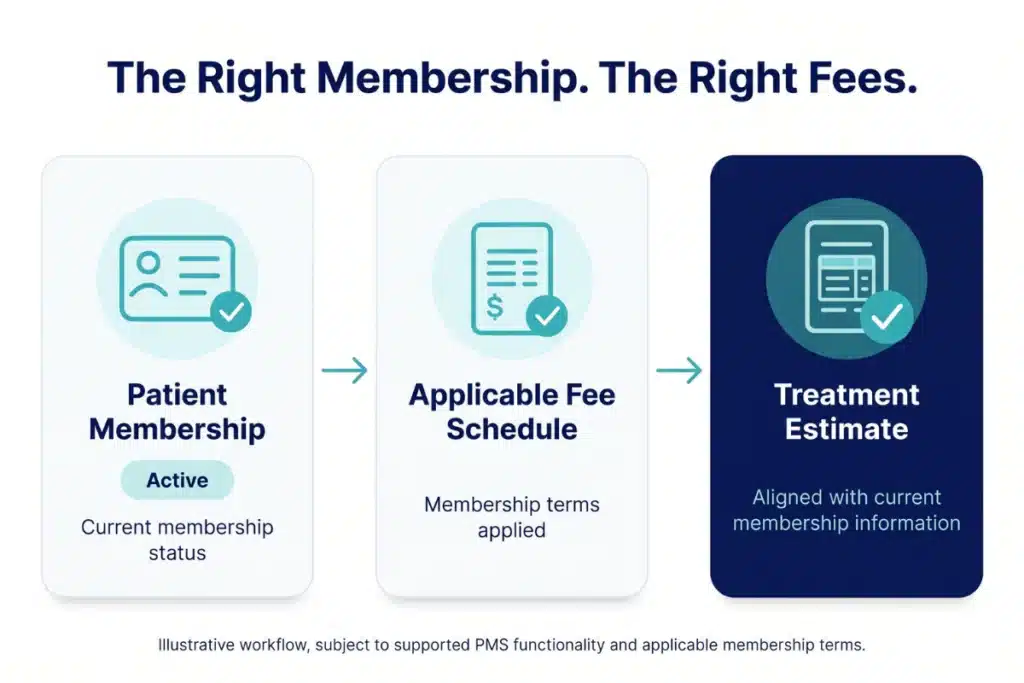
When a patient joins, their membership may give them access to discounted restorative treatment. If the appropriate fee schedule isn’t attached to their PMS record, the treatment coordinator could go ahead and put together an estimate based on the standard fees.
Fixing the figure may be simple, but the patient has already been given the wrong information about the cost of their care.
Read-and-write PMS integration can deal with this by enabling membership software to update the relevant information in the patient record, including fee schedules where supported.
Practices should be asking software providers to show what happens when a patient enrolls or changes their membership status.
The key point is whether the information used to work out the treatment fee reflects the patient’s current membership.
Why should benefit tracking be part of the appointment workflow?
Consider a patient booking a second hygiene appointment under an annual plan.
Before confirming the visit is included, staff need to confirm whether the patient has already used their allocated benefits. If that means checking a different spreadsheet or calling another staff member, there’s a chance of error.
The repercussions aren’t always obvious. A patient may end up with a service they weren’t entitled to or may be charged for a service that should have been included.
Membership software that tracks service usage gives staff access to the patient’s remaining benefits.
For practices reviewing their workflow, it’s worth asking whether that information is available when they’re scheduling the appointment, rather than only when they go into the membership platform.
What happens when membership information doesn't get to the right people?
The front desk might be aware that a patient has joined the membership program, but the treatment coordinator also needs that information when discussing fees.
A hygienist could well be providing services that are part of the membership and still not know quite how those services should be recorded for production reporting.
These aren’t necessarily software failures. They can result from the practice not having worked out how membership information should be used by various staff members.
Workflow setup therefore warrants as much attention as the technology itself.
Practices need clear procedures in place for recording the membership services provided and for applying the fee schedule. Where provider compensation is based on production, reporting must also reflect the treatment provided to the member.
Without those arrangements in place, the practice may well have accurate membership records but struggle to use them consistently.

How should DSOs be approaching membership workflows across locations?
A DSO may have different membership plans in different practices, as patient needs and local pricing will vary.
For DSOs and group practices, that flexibility creates an operational issue: management needs a consistent view of performance regardless of the plans offered.
For example, enrollment figures alone won’t tell you whether people are actually attending their appointments or taking the recommended treatment.
A good reporting structure should let management view membership activity by location and see how it contributes to production.
Local teams still need access to the information that’s relevant to their patients, and central management will need oversight of the wider program.
This is an area where workflow design and reporting requirements should be considered in tandem, especially when a group is adding practices.

What should you be asking when you're looking at dental workflow software?
Rather than start with a feature list, go through the practice as a member and ask the software provider to show you what happens at each stage.
Pay close attention to the points where information needs to flow between systems.
Can an enrollment update the patient’s PMS record? Will a change of membership status impact the applicable fee schedule? Can staff check the patient’s remaining benefits as they’re going into an appointment?
It’s also worth asking what happens when an automated process fails or requires intervention.
The answers should make it clear which tasks the software handles and which remain the responsibility of the practice team.

How does Plan Forward support membership-based dental workflows?
Plan Forward is built to manage dental membership programs in conjunction with the practice management systems that your organization already has in place.
Its read-and-write PMS integrations keep member data aligned with patient records, and benefit tracking enables the practice to track service usage.
Plan Forward also enables the setup of a fee schedule and provides workflow guidance to assist practices in putting in place the right processes.
For DSOs, centralized reporting gives you visibility across the network in terms of membership activity, and you can then go on to apply advanced analytics to look at production and other performance measures.
The emphasis is on making membership information available in the places where staff will need to access it during the day, without adding unnecessary steps to their existing processes.
Want to see how Plan Forward fits into your dental workflow?
If you’re looking for dental workflow software that supports membership management alongside your existing PMS, Plan Forward can help you connect these processes.
Book a demo to find out how the platform works with your PMS and membership program.